Billing and usage
See your plan and this month's usage, and where to go for invoices, payment details, plan changes and cancelling.
On this page
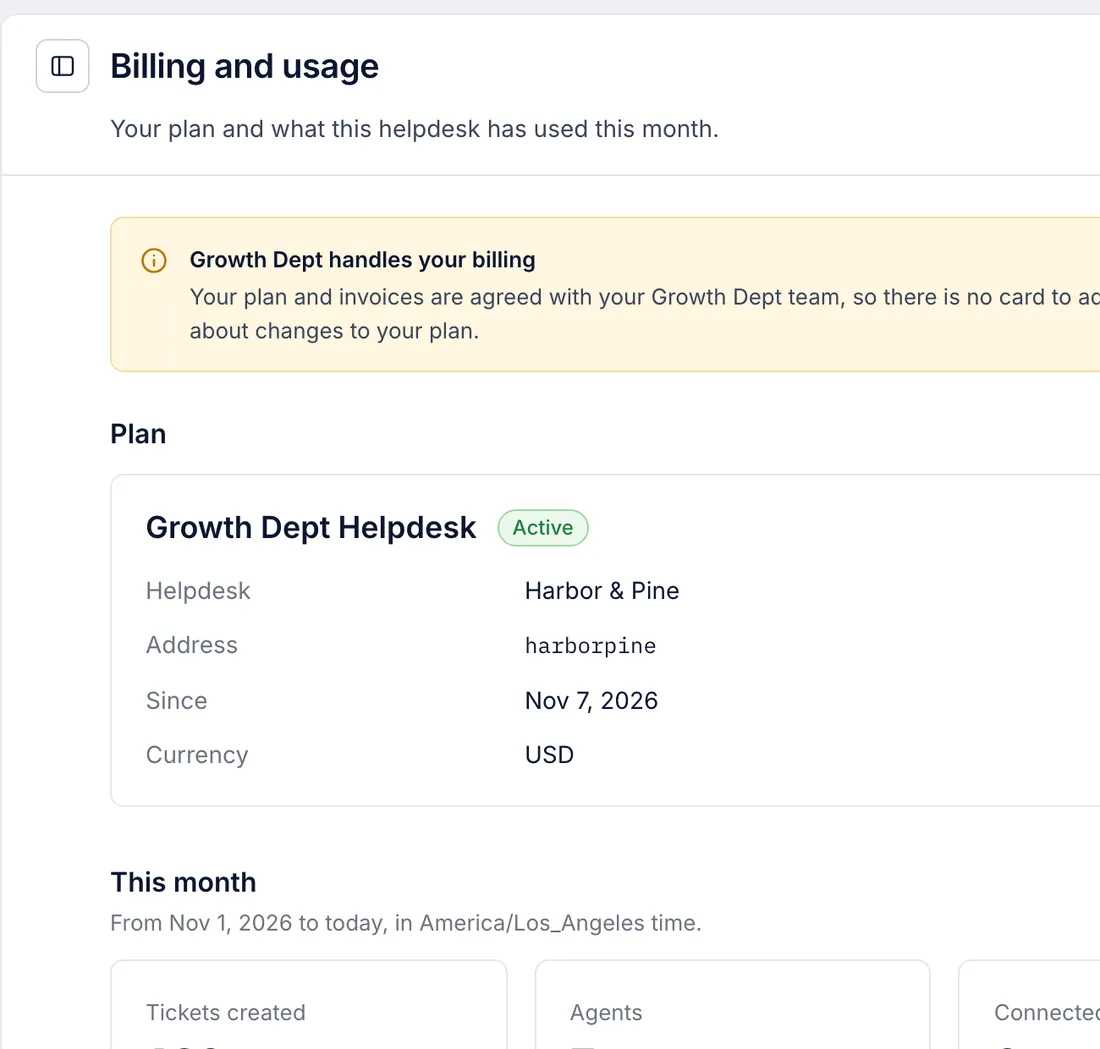
Growth Dept bills your company directly for your plan. Your plan, price and invoices are agreed with your Growth Dept team, so the helpdesk sends no plan invoices and holds no card for the plan. Settings > Billing and usage shows what you are on and how much the helpdesk has been used this month. Anyone in the helpdesk can open it.
Calls and texts are billed separately, at Telnyx's cost, in the Calls and texts section of the same page. If you save a card there, the helpdesk keeps its brand, last four digits and expiry, never the full number. See Paying for calls and texts.
What the page shows#
Plan names the product (Growth Dept Helpdesk) and whether it is Active, with:
| Line | Meaning |
|---|---|
| Helpdesk | The helpdesk's name. |
| Address | The short name in its links, as in cs.growthdept.ai/app/<address>. |
| Since | When the helpdesk was created. |
| Currency | The currency set for the helpdesk. |
This month counts from the first of the month to today, in the helpdesk's time zone:
| Figure | What it counts |
|---|---|
| Tickets created | Tickets opened this month, on every channel. |
| Agents | Active users who can work tickets. Observers are counted separately below the figure, and the AI agent's account is not counted. |
| Connected mailboxes | Gmail and forwarded mailboxes that are switched on. |
Under Plan payment and invoices, Add payment method and Download invoices are greyed out, because paying for the plan happens with Growth Dept.
Plans, invoices and payment#
For any of these, write to support@growthdept.ai or your usual Growth Dept contact:
moving to a different plan, or adding the AI agent;
a copy of an invoice, or a question about one;
changing the card or bank account you pay with, or how often you are billed;
updating your billing address, company name or tax number on invoices.
Plans and what they include are on the pricing page.
Cancelling#
Ask Growth Dept to cancel. Before your helpdesk is closed, have an owner download a full export of its data, because a deleted helpdesk cannot be exported. Thirty days after a helpdesk is deleted, its tickets, customers and settings are erased for good. Export your data shows how to download the export.
Related articles
- Export your dataDownload a full copy of a helpdesk's data as an owner, or CSV files from reports, macros and the logs, and what to do when you need ticket-level rows.
- Manage usersInvite people, change their role, deactivate someone who has left and hand the owner role to someone else.
- What Growth Dept Helpdesk isThe parts of the helpdesk, the handful of things it is built from (tickets, customers, views, macros, rules) and where to start on day one.
- Paying for calls and textsWhat calls and texts cost, what Growth Dept covers, how to pay by card or by emailed invoice, and how to let the same card pay your Growth Dept bill.
Still stuck?
Write to the Growth Dept team and a person answers. Say which helpdesk you work in and what you were trying to do.