Live view
Partly availableSee what is open right now, how it splits across agents and channels, who is available, and which tickets have waited longest.
On this page
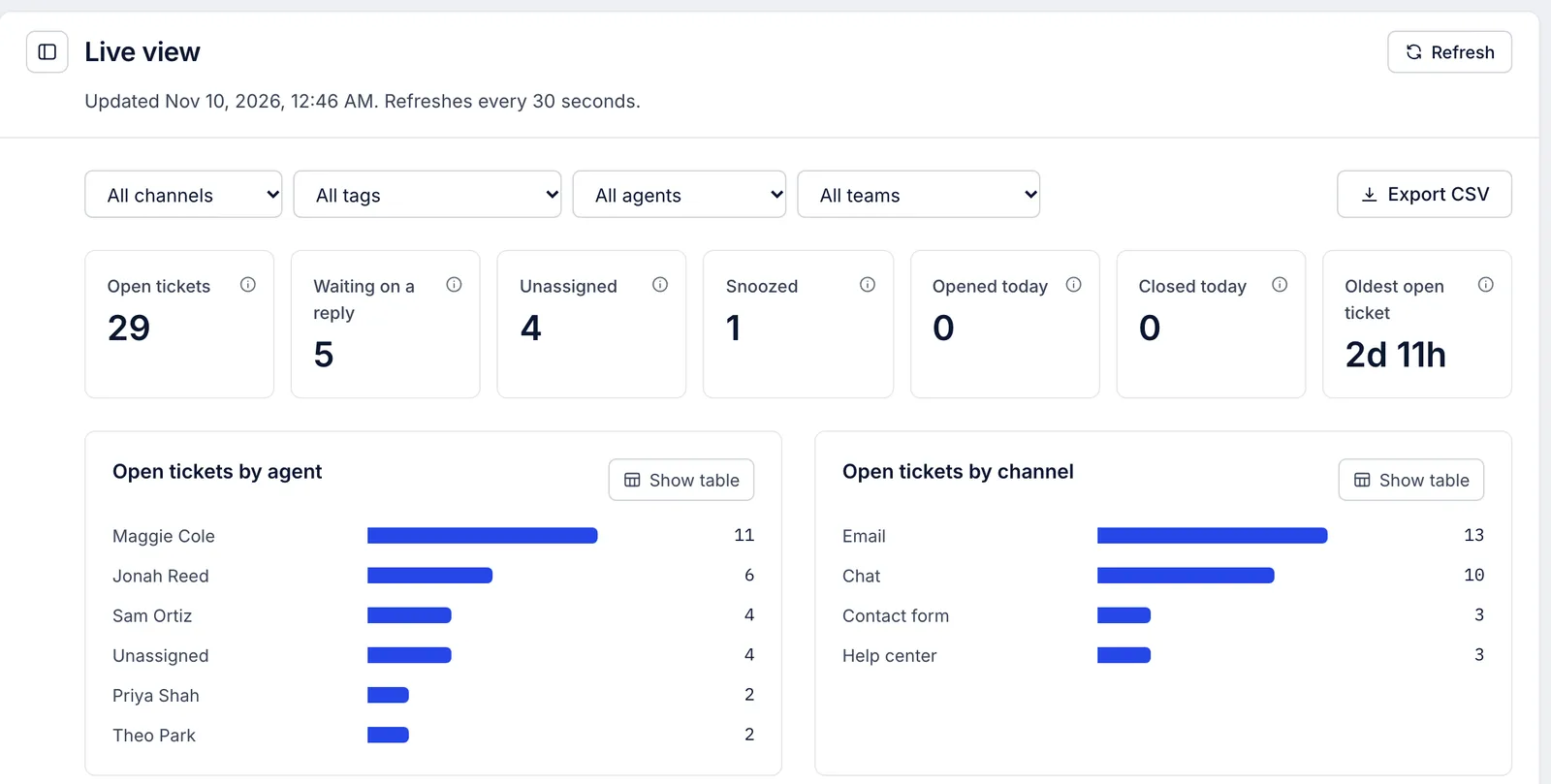
Analytics > Live view shows the helpdesk as it is at this moment. It has no date range: the counts are for right now and for today, from midnight in the helpdesk's time zone. The page reloads itself every 30 seconds while its tab is in front, and Refresh at the top right reloads it at once. The line under the title says when it last updated.
The counts#
| Count | What it shows |
|---|---|
| Open tickets | Every open ticket, snoozed ones included |
| Waiting on a reply | Open tickets where the customer wrote last. Rules answering automatically do not count as an answer |
| Unassigned | Open tickets with no agent |
| Snoozed | Open tickets snoozed until a later time |
| Opened today | Tickets opened since midnight |
| Closed today | Tickets closed since midnight that are still closed |
| Oldest open ticket | How long the ticket that has been open longest has been open |
Who has the open tickets#
Open tickets by agent counts the open tickets assigned to each person, with an Unassigned bar for the rest.
Open tickets by channel counts them by the channel they arrived on, such as email, chat or contact form.
Agents lists every active person on the team with their availability (Available, Away or Offline, with the reason for being away when they gave one) and their open tickets. Bot accounts such as the AI agent are left out.
Oldest open tickets lists the ten tickets that have been open longest, oldest first, with how long each has been open. Click a ticket number to open it.
Availability is what each person sets for themselves; see Your status and availability. The live view does not track whether someone has the helpdesk open in their browser.
Narrow it down#
Use the menus above the counts to keep one channel, one tag, one agent or one team. With an agent picked, the counts keep the tickets assigned to that person. Export CSV downloads the agent table: each agent, their availability and their open tickets, with a final row for unassigned tickets.
Not in the live view#
Each agent's replies and closed tickets so far today. Open the Agents report with the range set to Today instead.
A chart of today's tickets hour by hour. Open Busiest times with the range set to Today: its row for today's weekday shows each hour so far.
Calls waiting and in progress. Open Live calls in the Analytics menu; see Voice and SMS reports, and live calls.
Related articles
- Analytics overviewFind the reports, read the ten headline figures on the Overview page, see how each moved against the period before and chart any of them over time.
- Agent availability and statusesSee who is free to take tickets and chats, set a teammate away when they forgot, and create the away statuses agents choose from.
- Your status and availabilitySet yourself available, away or offline, step away for lunch or a meeting, and what your status changes in the helpdesk.
- Busiest timesSee which weekday and hour bring the most new tickets, customer messages or team replies, so you can plan who works when.
Still stuck?
Write to the Growth Dept team and a person answers. Say which helpdesk you work in and what you were trying to do.