Notifications
The bell, the emails you can get about tickets and mentions, the daily summary of open tickets, and what admins set for new agents.
On this page
The helpdesk tells you about new work in two places: the bell in the navigation panel, and email to the address you sign in with. You choose which emails you get in Settings > Notifications.
The bell#
The bell at the top of the navigation panel lists tickets that were recently assigned to you by someone else, or to one of your teams. A dot on the bell means something arrived since you last looked; in the list, new items have a blue dot. Click an item to open the ticket, or Mark all as read.
What you have seen is remembered in the browser you use, so another computer may show the same items as new. The gear in the bell's list opens Settings > Notifications.
The bell lists assignments only. Mentions, customer replies and the other events below reach you by email.
Choose your emails#
Open Settings > Notifications.
Under Your notifications, switch Email on or off for each event.
Choose Save my choices.
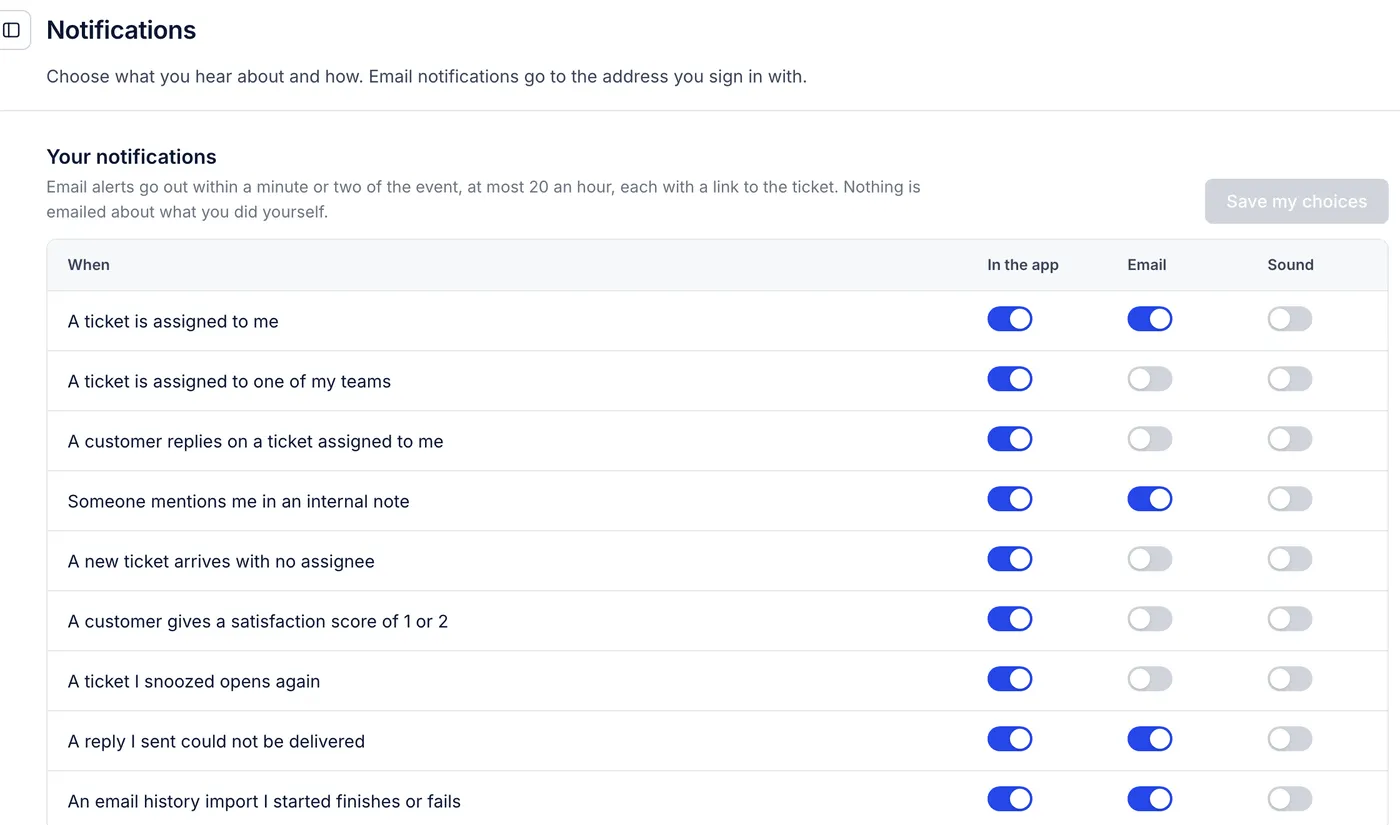
| Event | Who it is about | Email on at first |
|---|---|---|
| A ticket is assigned to me | You, when someone else assigns you | Yes |
| A ticket is assigned to one of my teams | Every member of that team | No |
| A customer replies on a ticket assigned to me | The ticket's agent | No |
| Someone mentions me in an internal note | Each person mentioned | Yes |
| A new ticket arrives with no assignee | Everyone in the helpdesk | No |
| A customer gives a satisfaction score of 1 or 2 | The ticket's agent | No |
| A ticket I snoozed opens again | The person who snoozed it | No |
| A reply I sent could not be delivered | The person who wrote the reply | Yes |
| An email history import I started finishes or fails | The person who started it | Yes |
How the emails behave:
They go out within a minute or two of the event, each with a link straight to the ticket.
You are never emailed about something you did yourself.
Each person gets at most 20 notification emails an hour; anything beyond that in the hour is skipped.
Nothing is emailed about tickets copied in by an import, or from a demo helpdesk.
The daily summary#
An admin can send everyone a morning list of open work. Under Daily summary email of open tickets, pick the hour, or Off. The hour is in your helpdesk's time zone.
At that hour each person gets one email with:
their own open tickets, the oldest 10 listed,
open tickets of their teams that nobody has taken,
open tickets in the helpdesk with no agent at all.
Defaults for new agents#
Admins see a second table, Defaults for new agents. It sets which emails people start with when they join. Choose Save defaults to keep it. Changing the defaults does not change the choices anyone has already saved.
Emails admins get about connections#
When the helpdesk's Shopify store or Gmail mailbox stops working, for example because a password changed or the app was removed, the organization's owners and admins get one email saying so. Once it is reconnected, a later break is reported again. See Connect Gmail and Connect your store.
Related articles
- Internal notes and mentionsLeave a note on a ticket that only your team can read, mention a teammate so they are told, and where else notes come from.
- Assign tickets to agents and teamsGive a ticket an owner and a team, take one yourself, hand it back, assign many at once, and what assigns tickets without anyone choosing.
- Your profileChange the name your team and customers see, your time zone and language, and the short note other agents read about you.
- Your status and availabilitySet yourself available, away or offline, step away for lunch or a meeting, and what your status changes in the helpdesk.
Still stuck?
Write to the Growth Dept team and a person answers. Say which helpdesk you work in and what you were trying to do.