Run actions and read the event log
Run an action from a ticket, see every run with each step's request and answer, and see which skills use an action.
On this page
Every run of an action your team built is recorded: who ran it, on which ticket, what was collected, and what each step did. Runs that were refused are recorded too, with the reason.
Run an action from a ticket#
On a ticket, open More (the three dots) and choose Run an action. Pick the action, fill in what it collects and, when a step acts on an order, the order. If the action asks the customer first, tick The customer agreed to this in the conversation once they have. Then:
Dry run shows what each step would do. Nothing changes.
Run action runs it. The result shows each step, and the ticket gets an internal note saying the action ran, or where it stopped.
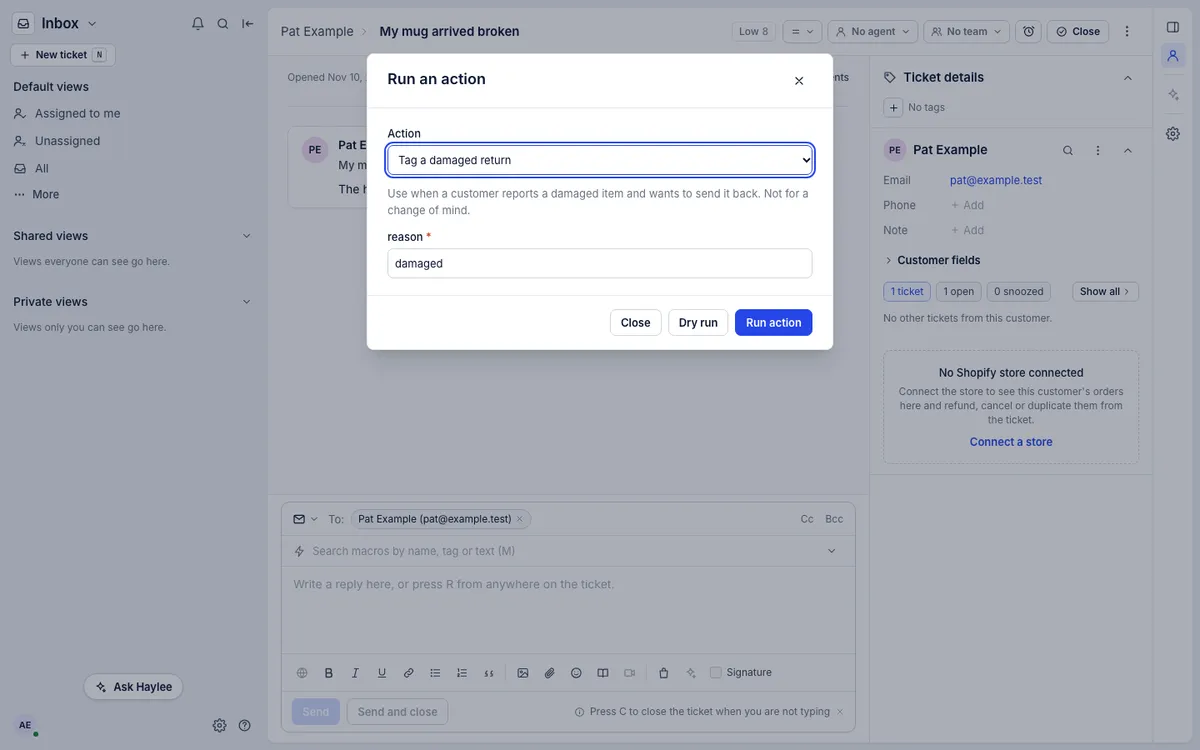
Actions that are off are not in the list. Haylee runs actions set to Does it herself and proposes the ones set to Asks a person in an internal note, which is when a teammate usually opens this dialog.
Read the event log#
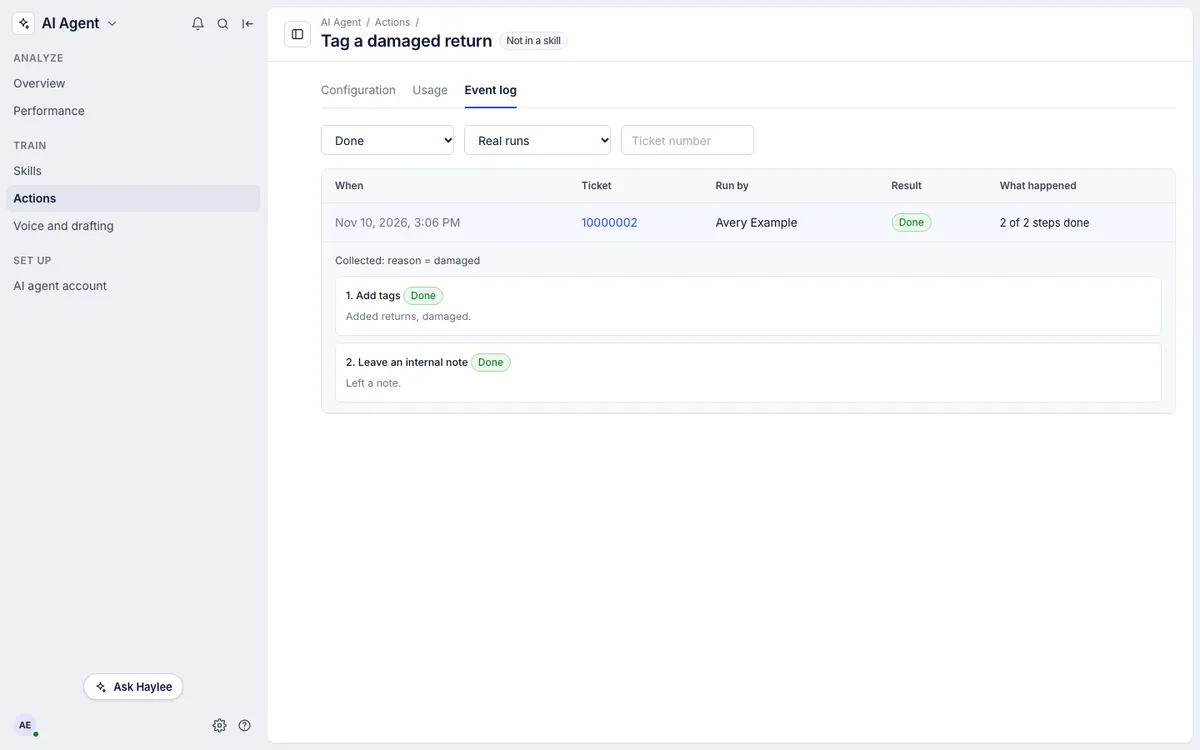
Open the action and choose Event log. Lead agents and admins can read it. Each row shows when it ran, the ticket, who ran it (and the skill that called for it, when Haylee used one) and the result:
| Result | Meaning |
|---|---|
| Done | Every step ran or was skipped by its own condition |
| Failed | A step failed; the steps after it did not run |
| Refused | Nothing ran: the action was off or set to ask a person, the customer had not agreed, or a condition was not met |
Filter by result or ticket, and switch between real runs and dry runs. Click a row to see each step: its result, the request it sent, the start of the answer and the values it read. Keys and passwords never appear in the log.
When a run fails#
A run that fails part way keeps what the earlier steps did and leaves a note on the ticket saying which step failed and why, so a teammate can finish by hand. Common causes:
The app answered HTTP 401 or 403: its key is wrong or expired. Save a new one under Apps.
The app answered HTTP 404: the address or a value in it is wrong. Check the step with a test request.
No answer within 15 seconds: the app was slow or down. Try again later.
A Shopify step was refused: the store's own rules apply, such as who may refund. The message says which.
The library marks an action whose last run failed with Last run failed until a run succeeds.
See where an action is used#
Usage lists the skills that name the action and, for a period you choose, how many runs each skill led to, with how many were done, failed and refused. Runs without a skill were started by a person or by Haylee from the description.
Related articles
- Build an actionPut steps together into an action of your own, with the information Haylee collects first, conditions, the customer's agreement and a setting for what Haylee may do.
- Steps and apps for actionsConnect your returns, subscription or shipping app with its key, and write HTTP steps that call it and read values from its answer.
- Actions and what Haylee may doThe actions library, the 15 built-in actions in your helpdesk and Shopify store, and how to choose for each one whether Haylee does it, asks a person or leaves it alone.
- Chat with Haylee in the AssistantAsk Haylee about your helpdesk or have her build macros, rules, skills and actions, in chats that keep their history, with her changes proposed for your approval first.
Still stuck?
Write to the Growth Dept team and a person answers. Say which helpdesk you work in and what you were trying to do.