Connected apps and the app directory
See which mailboxes and integrations are connected to your helpdesk, connect a new one, and check which apps are not available yet.
On this page
Two pages under Settings > Apps cover the services your helpdesk talks to. Connected apps lists what is connected now. App directory lists everything you can connect, and the apps that are not available yet. Admins connect and change apps; other roles can look.
Connected apps#
The table shows each connection with its Name, its Type (for example Email or HTTP integration), its Status, On or Off, and the date it was Added. Select a name to open its settings, where you can change it, switch it off or remove it.
With nothing connected, the page offers Connect a mailbox, because a support mailbox is the usual first step. Browse apps opens the directory.
The app directory#
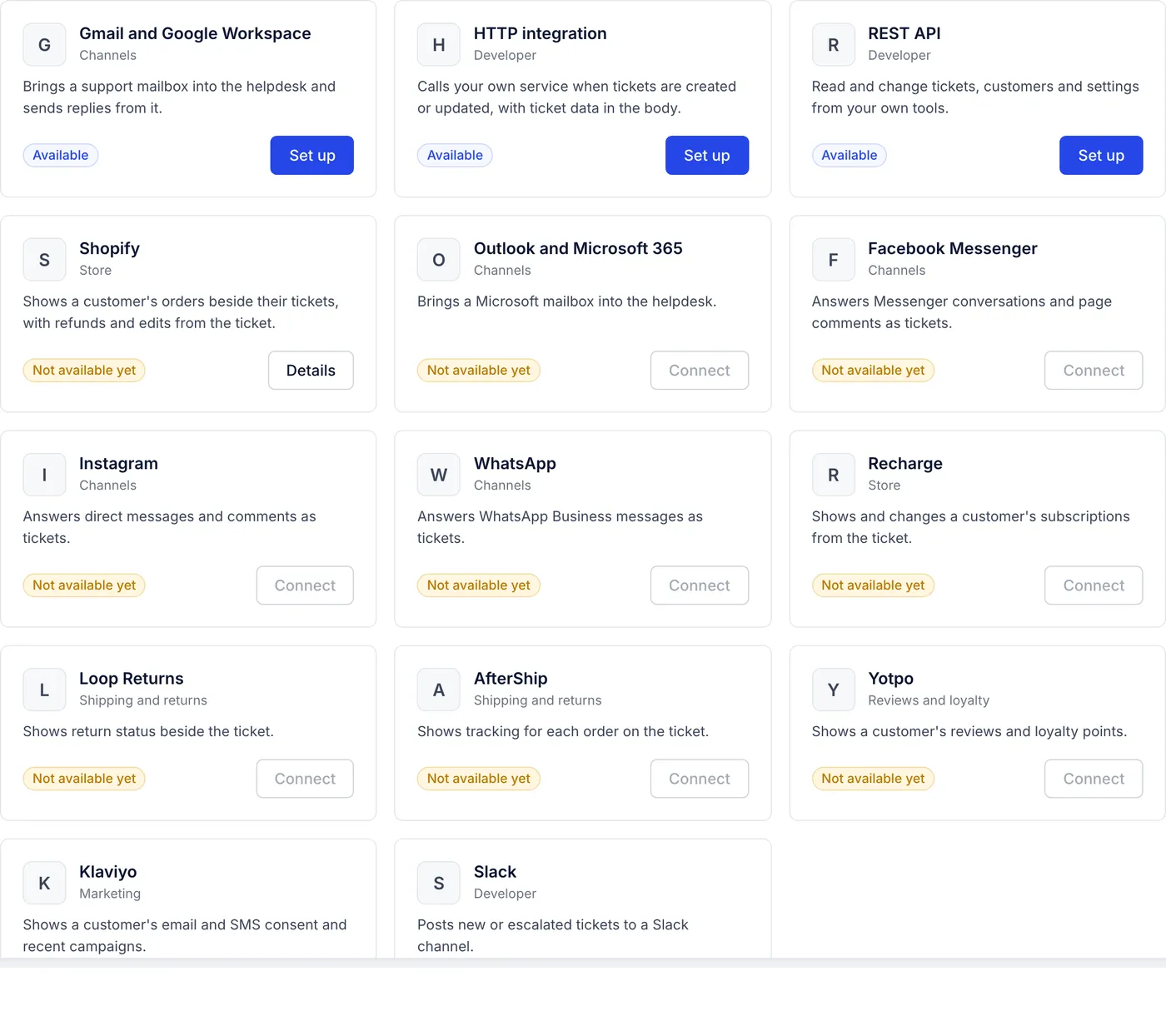
Filter the directory with the tabs (All, Store, Channels, Shipping and returns, Reviews and loyalty, Marketing and Developer) or type in Search apps. Each card says what the app does and carries a badge:
| Badge | Meaning | Button |
|---|---|---|
| Connected | It is set up and on. | Manage opens its settings. |
| Available | You can connect it now. | Set up opens the page where you connect it. |
| Not available yet | It cannot be connected today. | Connect is greyed out. |
What you can connect today#
| App | What it does | Where to set it up |
|---|---|---|
| Gmail and Google Workspace | Brings a support mailbox in as tickets and sends replies from it. | Settings > Email. See Connect a Gmail or Google Workspace mailbox. |
| Shopify | Shows each customer's orders beside their tickets, with refunds and other order actions. | Settings > Store, or Details on the Shopify card. See Connect your Shopify store. |
| HTTP integration | Calls your own service when tickets are created or change. | Settings > HTTP integrations. See HTTP integrations. |
| REST API | Lets your own tools read and change tickets, customers and settings. | Settings > REST API. See The REST API and API keys. |
A support address at any other mail provider can be forwarded into the helpdesk without connecting an app; see Forward a support address from any mail provider.
Not available yet#
These apps appear in the directory but cannot be connected: Outlook and Microsoft 365, Facebook Messenger, Instagram, WhatsApp, Recharge, Loop Returns, AfterShip, Yotpo, Klaviyo and Slack. For what to use instead, see Outlook and Microsoft 365 mailboxes, Facebook, Instagram, WhatsApp and TikTok, Apps and connections not available yet and Slack alerts for new tickets.
Getting help with an app#
For problems on the helpdesk's side, such as a mailbox that stopped syncing or an HTTP integration that keeps failing, email support@growthdept.ai. For questions about the other service itself, such as your Shopify plan or your Slack workspace's app approvals, ask that company's support.
Related articles
- Connect a Gmail or Google Workspace mailboxConnect your support mailbox so its mail arrives as tickets within a minute and replies go out from Gmail in the customer's own thread.
- Connect your Shopify storeLink your Shopify store with the Growth Dept Helpdesk app, a custom app's token or Growth Dept's own connection, then turn on order actions.
- HTTP integrationsCall your own service whenever a ticket is created, changes or gets a message, with the ticket's details in the request, signed so you can trust it.
- Apps and connections not available yetWhich apps cannot be connected to the helpdesk yet, such as Recharge, Loop, AfterShip, Klaviyo and Zapier, and how to get the same job done today.
Still stuck?
Write to the Growth Dept team and a person answers. Say which helpdesk you work in and what you were trying to do.